This project was developed using Antigravity. It is a smart tool that helps you shrink PDF files while keeping them clear and easy to read.
What is this project?
When applying for jobs or uploading documents, you often find strict file size limits (like 2MB). Often, standard compression makes the text look blurry.
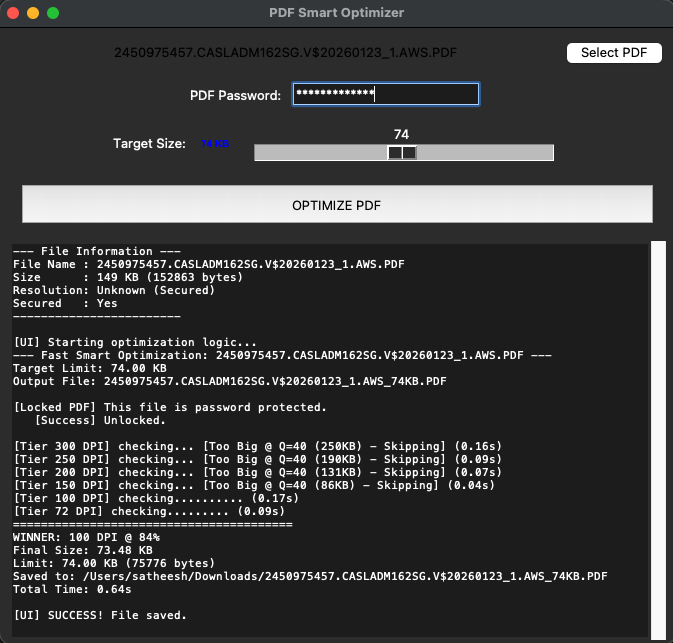
The PDF Smart Optimizer is a GUI (graphical) tool built with Python. It uses smart logic to compress files just enough to meet your target size without losing quality.
Key Features
Feature Description Smart Compression Automatically finds the best balance between size and quality. Easy Interface Built with Tkinter for a simple, "point and click" experience. Fast Processing Uses the PyMuPDF library to handle large files in seconds. Antigravity Built Developed using agent-driven coding for faster testing. How to use it
GitHub Repository: satheeshvelu/PDF-Optimizer
Open the application.
Select your PDF file.
Set your "Target Size" (for example, 1MB).
Click Optimize.
You can find the full project directory, including the Python scripts and installation steps, on my GitHub: